M3U IPTV-Player

M3U Player for IPTV on iPhone and Android | DaddyTV

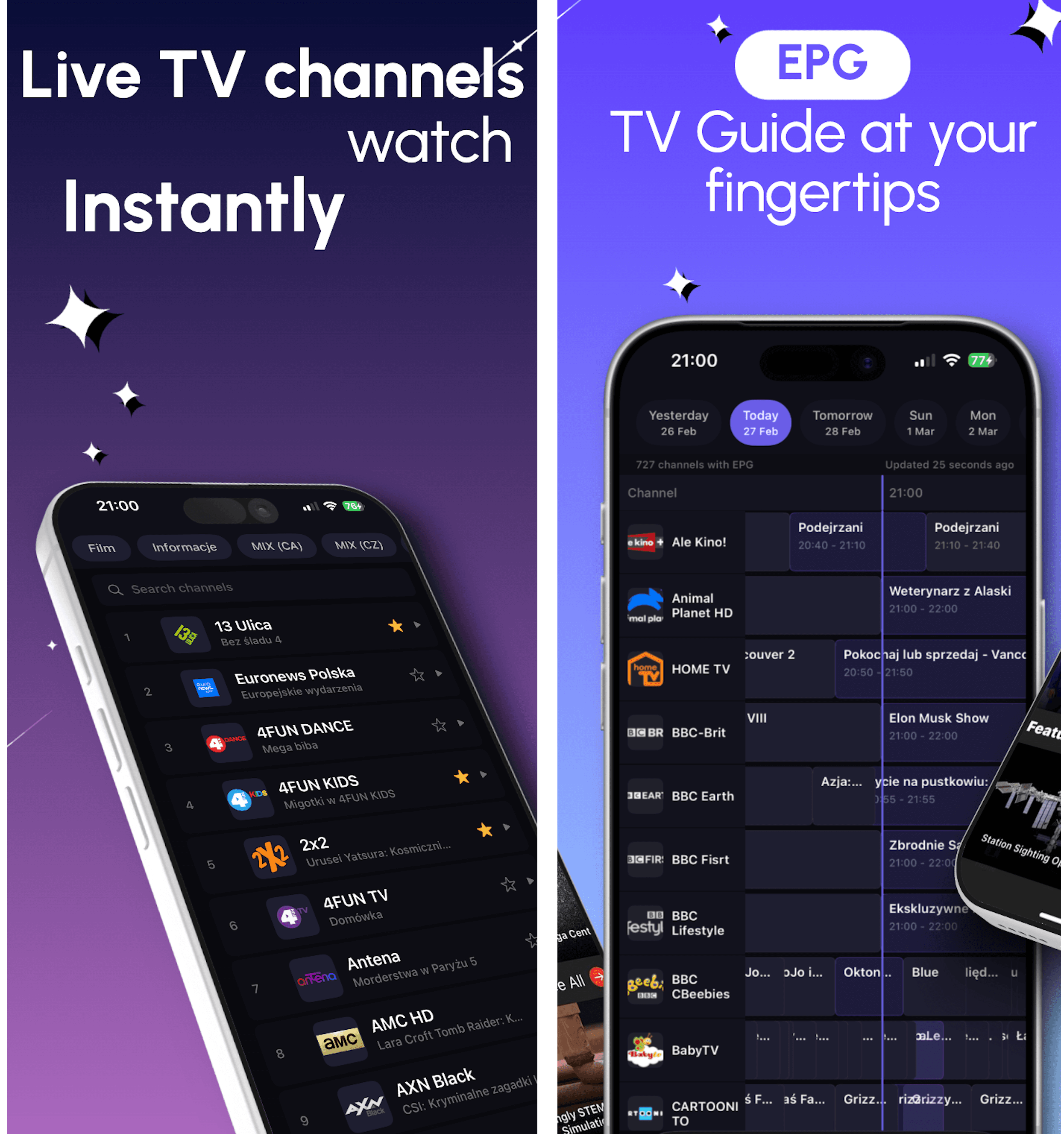
DaddyTV works as an M3U player for people who want one app for live TV, movies, shows, and optional EPG instead of a raw playlist viewer.

Add your own M3U playlist, open channels, movies, and shows from separate sections, then connect XMLTV only if you want TV guide. DaddyTV is a player app, not a playlist provider.

Paste your M3U playlist and start browsing quickly
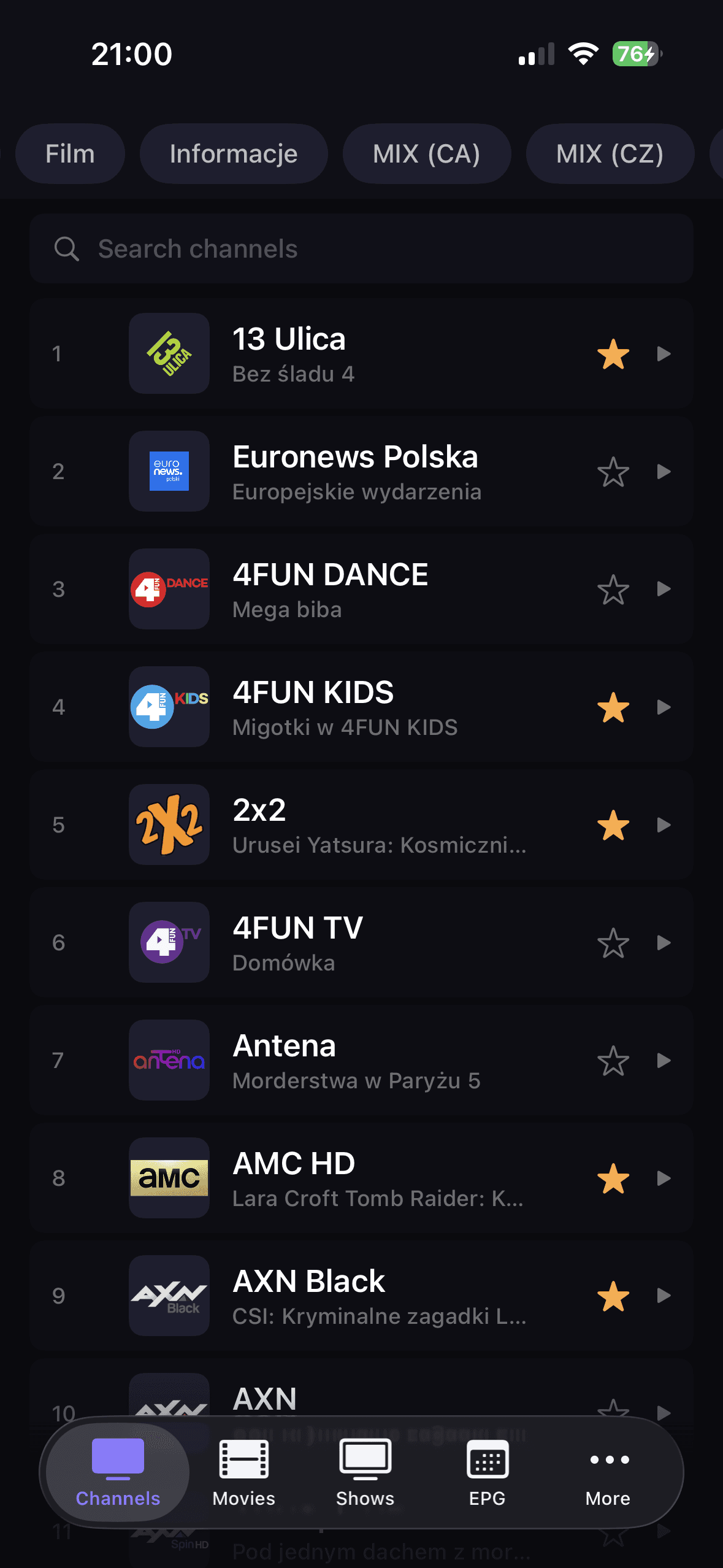
Open live TV, movies, and shows from separate sections
Add XMLTV later when you want guide data
DaddyTV M3U-Setup-Vorschau

Am besten für

  • Users who already have an M3U playlist link and want a clean everyday player
  • People who want live TV, movies, and shows in one app instead of separate tools
  • Anyone who wants to keep EPG optional instead of forcing guide setup on day one
Kompatibel mit

M3U playlist linksOptional XMLTV EPGLive-KanäleMovies and shows

Warum dieser Ablauf funktioniert

M3U Player for IPTV on iPhone and Android | DaddyTV

M3U ohne das rohe Playlist-Feeling

DaddyTV turns an M3U source into a cleaner media flow with separated live, movie, and show views instead of one overloaded list.

Optionaler TV-Guide obendrauf

When your playlist does not include useful EPG data, you can connect XMLTV separately and keep the playlist workflow simple.

Schnellere Rückkehr zum Wesentlichen

Favorites, categories, and a cleaner playback flow make M3U use less chaotic on mobile devices.

So fangen Sie an

So fangen Sie an

1

Open DaddyTV and choose playlist setup.

2

Paste your M3U URL or import the source you already use.

3

Finish setup and browse channels, movies, or shows.

4

Add XMLTV EPG later if you want guide data.

Kernbildschirme

Kernbildschirme

M3U-Playlist-Setup-Ansicht
Live-Kanäle nach M3U-Import
Favoriten und Schnellzugriff

FAQ

Funktioniert DaddyTV mit M3U-Playlists?

Ja. DaddyTV unterstützt vom Benutzer hinzugefügte M3U-Wiedergabelisten auf iPhone, iPad und Android.

Kann ich EPG separat von M3U hinzufügen?

Ja. XMLTV kann unabhängig von der M3U-Playlist angeschlossen werden.

Enthält DaddyTV Wiedergabelisten?

Nein. DaddyTV ist ein IPTV-Player und funktioniert nur mit vom Benutzer hinzugefügten Quellen.

Wichtig

DaddyTV does not provide channels, playlists, or subscriptions. It is a player for sources you already own or are authorized to use.

Passende Anleitungen

Xtream Codes Player for iPhone and Android | DaddyTV

DaddyTV works as an Xtream Codes player that keeps setup clear and playback fast across live channels and VOD.

Anleitung öffnen

Stalker IPTV Player for iPhone and Android | DaddyTV

DaddyTV supports Stalker portals for users who want the same IPTV app across mobile devices without rebuilding their setup around another format.

Anleitung öffnen

XMLTV EPG Player Guide for IPTV on iPhone and Android | DaddyTV

DaddyTV keeps XMLTV EPG separate from playlist setup, so you can build guide support around the IPTV source you already use.

Anleitung öffnen

M3U Player for IPTV on iPhone and Android | DaddyTV

Use your own M3U playlist on iPhone, iPad, and Android with live TV, movies, shows, favorites, and optional XMLTV EPG in one IPTV player.

Im App Store herunterladenHolen Sie es sich bei Google Play