
Best for
- People who want one IPTV player for iPhone or iPad instead of switching between multiple apps
- iOS users who care about PiP, a clean player UI, and fast access to favorites
- Anyone who wants live TV, movies, shows, and EPG in one place
IPTV Player iOS
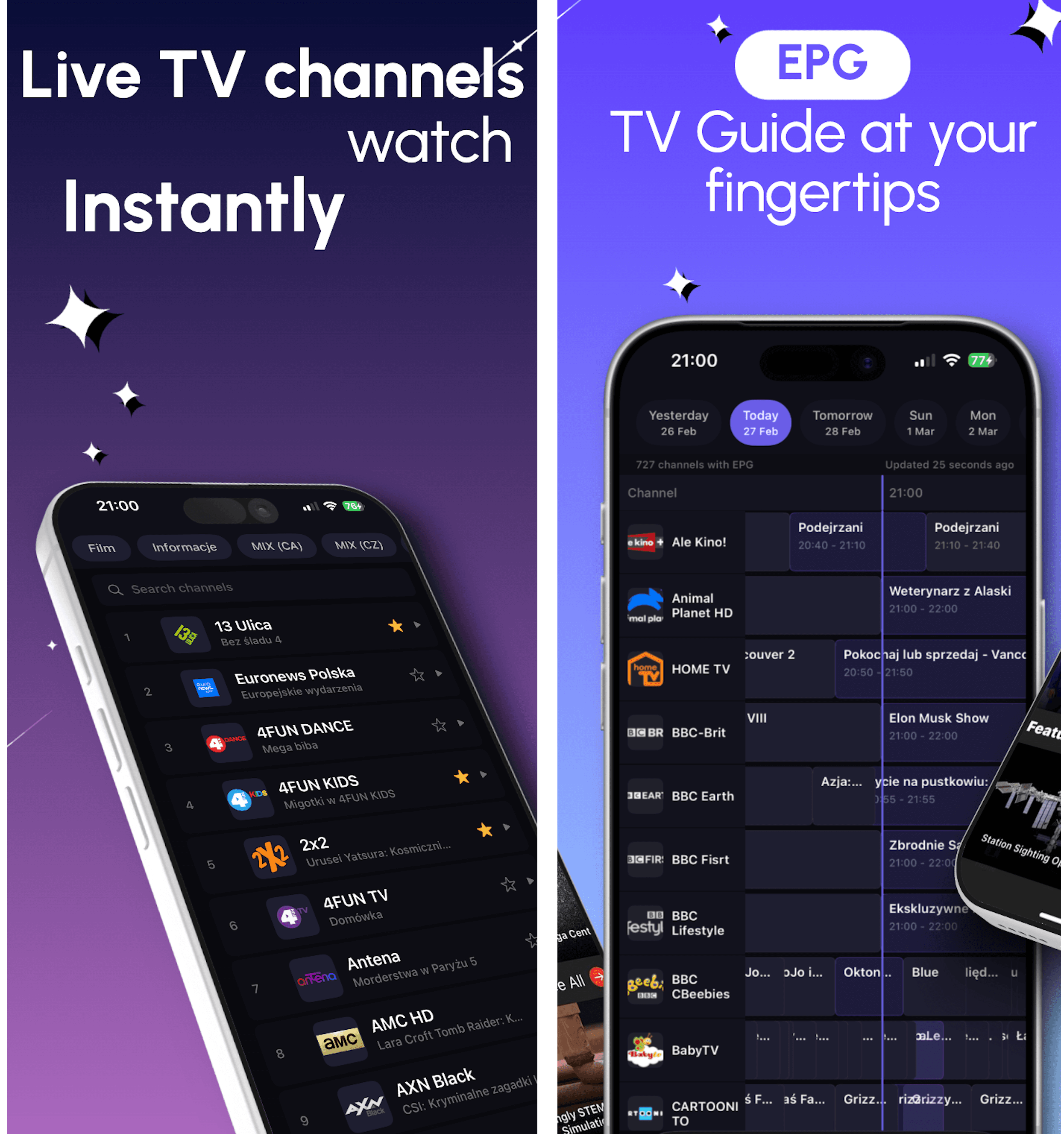
Looking for an IPTV player for iOS? DaddyTV on iPhone and iPad lets you use your own M3U, Xtream Codes, or Stalker source for live TV, movies, shows, EPG, favorites, and PiP in one app.
Install DaddyTV on iPhone or iPad, add your own M3U playlist, Xtream Codes account, or Stalker portal, connect XMLTV if needed, and watch live TV, movies, and shows in one fast interface. DaddyTV is a player app, not a content provider.
Best for
Supported formats
What you can do on this platform
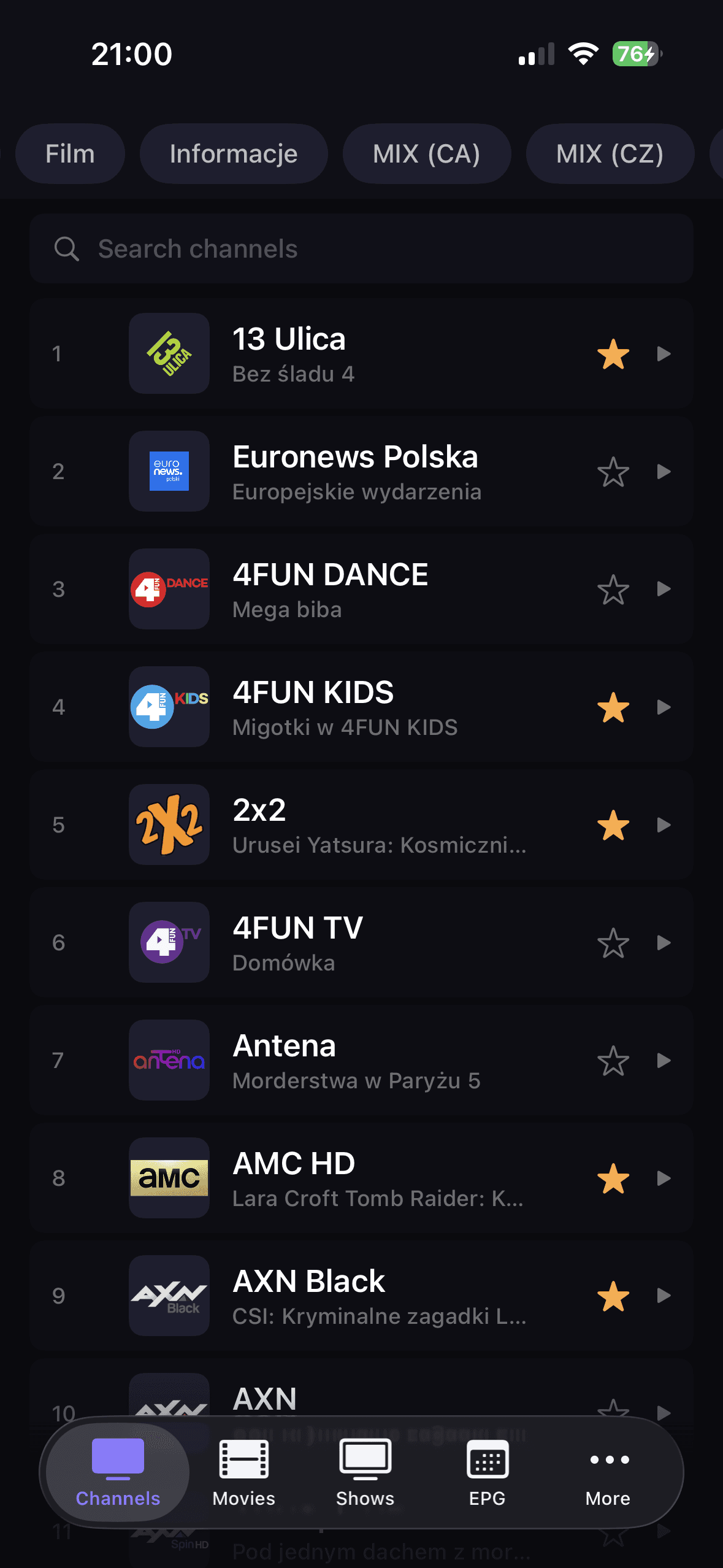
DaddyTV keeps Channels, Movies, Shows, and EPG inside one interface, so it takes less time to move from opening the app to actual playback.
On iOS, speed and consistency matter. DaddyTV gives you a clean player, PiP support, and audio route controls where the system makes them available.
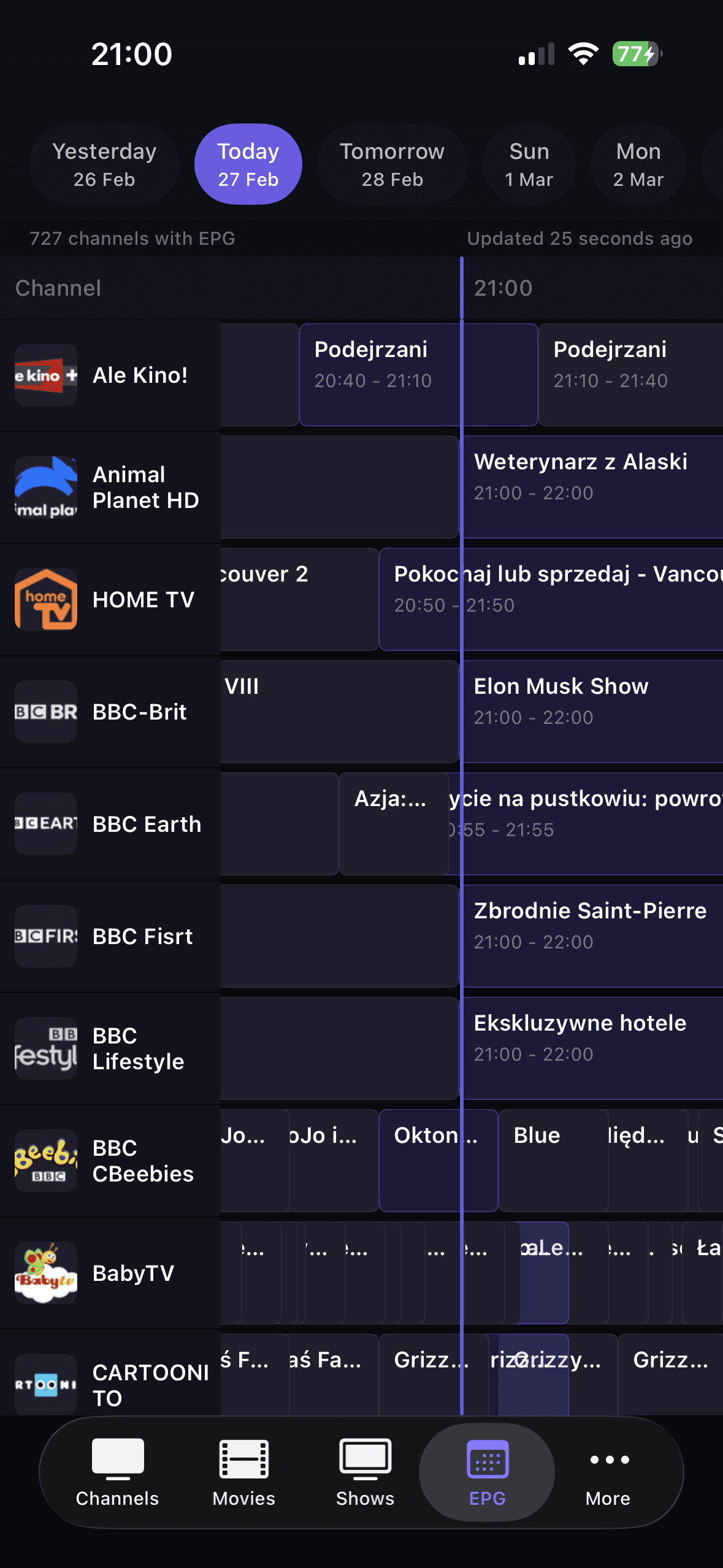
Add XMLTV EPG, pin the channels you return to most, and use favorites plus search instead of scrolling through a long playlist every time.
How to get started
Download DaddyTV from the App Store on iPhone or iPad.
Add your source with M3U, Xtream Codes, or Stalker.
Optionally connect XMLTV EPG to enable TV Guide.
Set favorites and start watching live TV, movies, or shows.
Core screens
FAQ
Yes. Picture in Picture works where iOS and the playback source support it.
Yes. XMLTV EPG is added independently from your M3U, Xtream Codes, or Stalker source.
No. DaddyTV is an IPTV player and works only with user-added sources.
Yes. DaddyTV is built for both iPhone and iPad, with a layout that adapts to the device.
Use your own M3U playlist, Xtream Codes account, or Stalker portal on iPhone and iPad with live TV, movies, shows, and XMLTV EPG in one fast IPTV player.