
के लिए सर्वोत्तम
- People who want one IPTV player for Android phones or tablets
- Users who switch between live TV, movies, and shows throughout the day
- Anyone who needs fast search, favorites, and optional EPG
आईपीटीवी प्लेयर एंड्रॉइड
एंड्रॉइड के लिए आईपीटीवी प्लेयर खोज रहे हैं? डैडीटीवी आपको लाइव टीवी, मूवी, शो, ईपीजी, पसंदीदा और एक ऐप में क्लीनर प्लेयर फ्लो के लिए अपने स्वयं के एम3यू, एक्सट्रीम कोड या स्टॉकर स्रोत का उपयोग करने देता है।
Google Play से DaddyTV इंस्टॉल करें, अपना स्वयं का M3U प्लेलिस्ट, Xtream Codes खाता, या Stalker पोर्टल जोड़ें, और Android पर प्रतिदिन तेज़ गति से देखने के लिए बनाए गए लेआउट से लाइव टीवी, मूवी, शो और XMLTV EPG का उपयोग करें। डैडीटीवी एक खिलाड़ी है, सामग्री प्रदाता नहीं।
के लिए सर्वोत्तम
समर्थित प्रारूप
आप इस प्लेटफॉर्म पर क्या कर सकते हैं
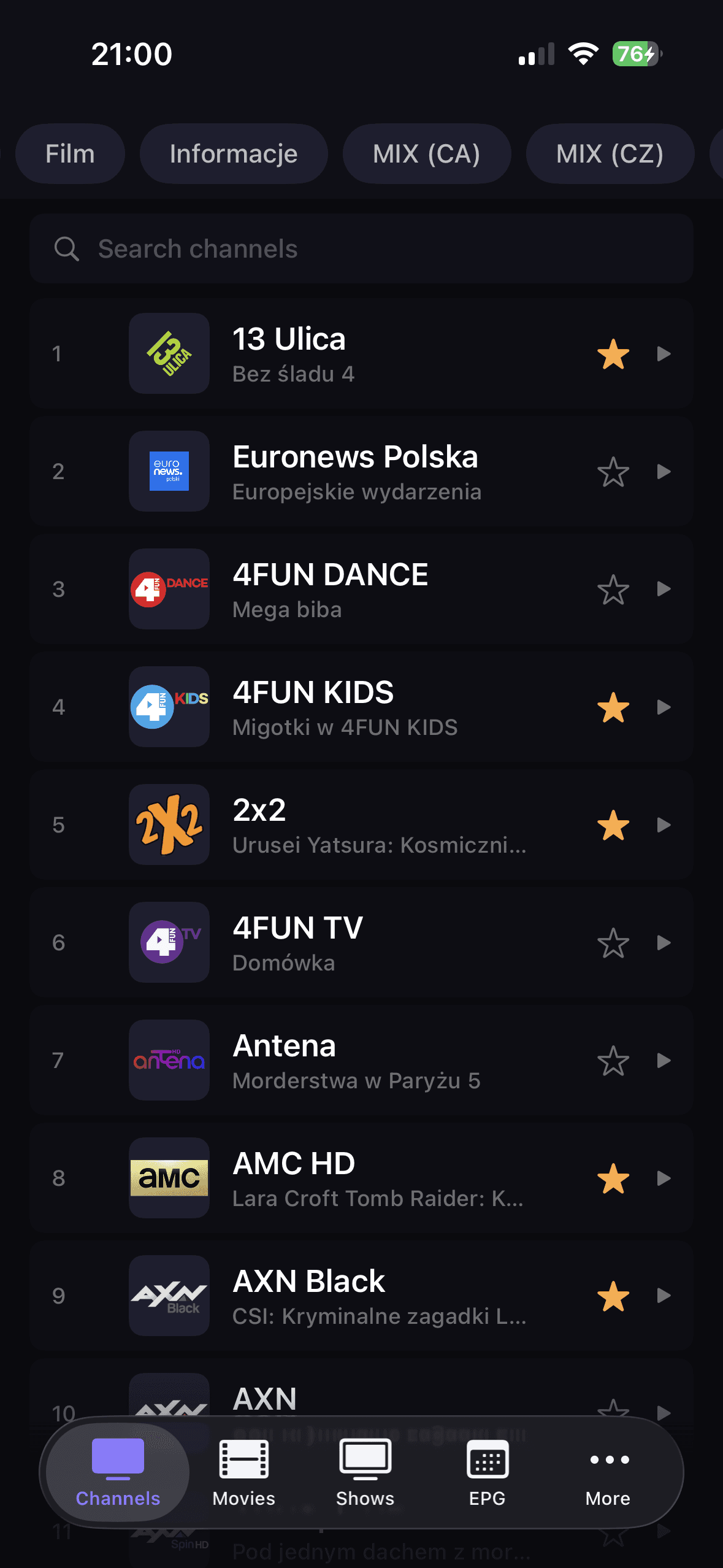
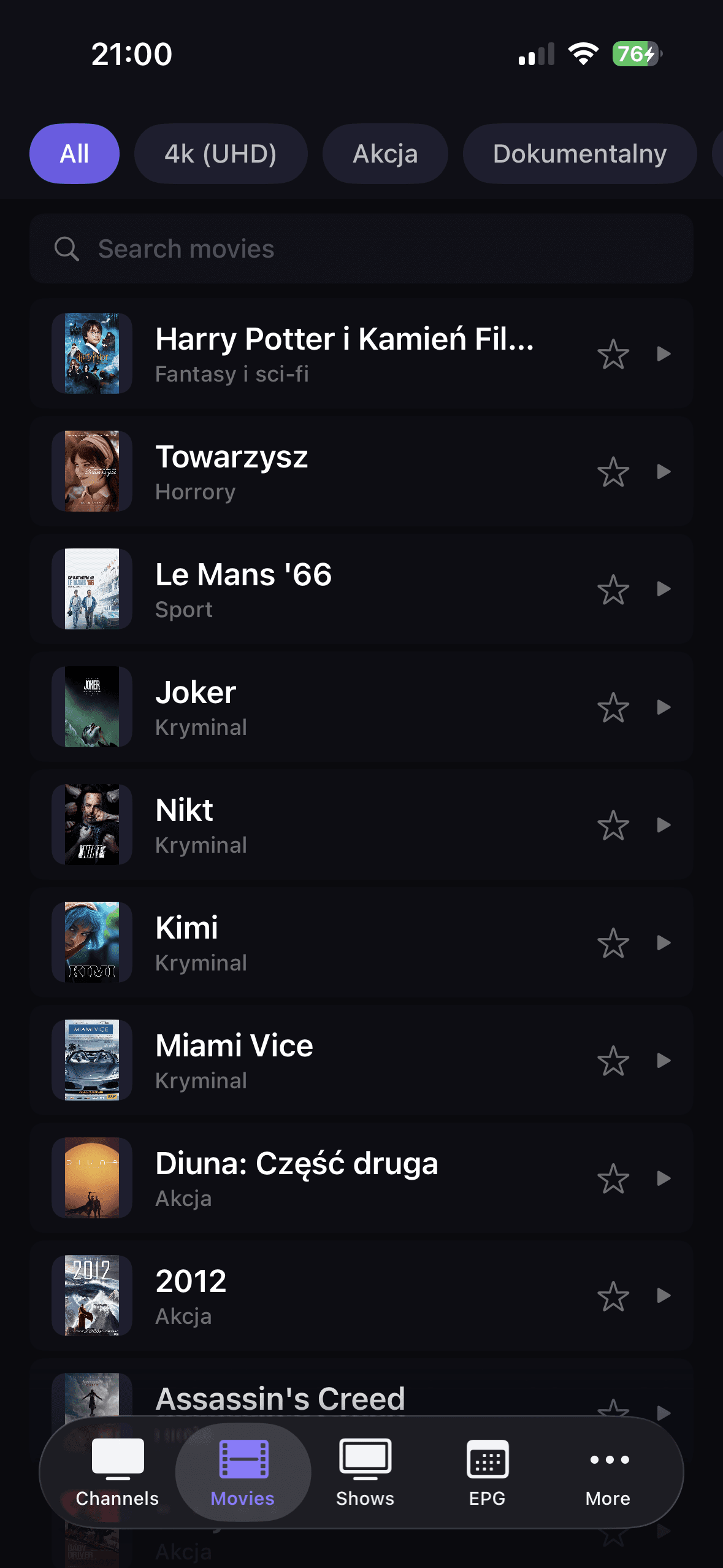
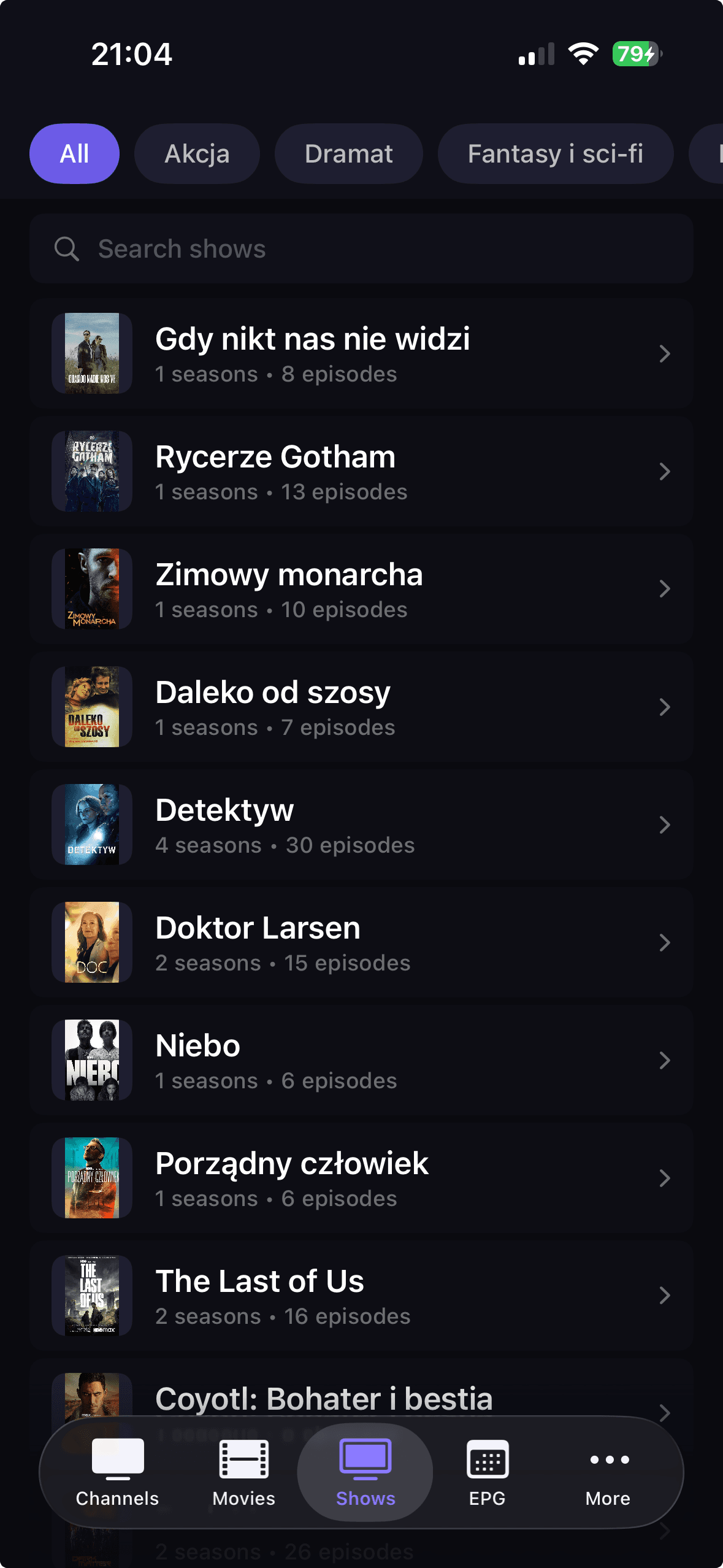
डैडीटीवी लाइव चैनलों, फिल्मों और शो को स्पष्ट अनुभागों में अलग करता है, इसलिए सामग्री ढूंढना और एक बड़े आकार की प्लेलिस्ट दृश्य से बचना आसान है।
M3U, Xtream Codes, या Stalker जोड़ें, अपनी लाइब्रेरी को रीफ़्रेश करें, और कई अलग-अलग IPTV टूल पर निर्भर हुए बिना प्लेबैक में जाएँ।
एक्सएमएलटीवी ईपीजी को पसंदीदा के साथ कनेक्ट करें और टीवी गाइड और आपके द्वारा अक्सर देखी जाने वाली सामग्री पर तेजी से वापस जाने के लिए खोजें।
शुरुआत कैसे करें
Download DaddyTV from Google Play on your Android phone or tablet.
Add your source with M3U, Xtream Codes, or Stalker.
Optionally connect XMLTV EPG to enable TV Guide.
Set favorites and start watching live TV, movies, or shows.
कोर स्क्रीन
FAQ
हाँ। डैडीटीवी एम3यू प्लेलिस्ट, एक्सट्रीम कोड्स अकाउंट और स्टॉकर पोर्टल्स को सपोर्ट करता है।
हाँ। XMLTV EPG वैकल्पिक है और आपके प्लेलिस्ट स्रोत से स्वतंत्र रूप से काम करता है।
हाँ। Android संस्करण फ़ोन और टैबलेट दोनों के लिए डिज़ाइन किया गया है।
नहीं, डैडीटीवी एक आईपीटीवी प्लेयर है और केवल उपयोगकर्ता द्वारा जोड़े गए स्रोतों का उपयोग करता है।
एक आईपीटीवी प्लेयर में लाइव टीवी, मूवी, शो और एक्सएमएलटीवी ईपीजी के साथ एंड्रॉइड फोन और टैबलेट पर अपनी खुद की एम3यू प्लेलिस्ट, एक्सट्रीम कोड अकाउंट या स्टॉकर पोर्टल का उपयोग करें।