
IPTV player for iPhone, iPad, Android, and Android TV
Use your own IPTV source for live TV, movies, shows, and EPG
Add an M3U playlist, Xtream Codes account, or Stalker portal, connect XMLTV when you want TV guide, and watch in one fast app on iPhone, iPad, Android, and Android TV.
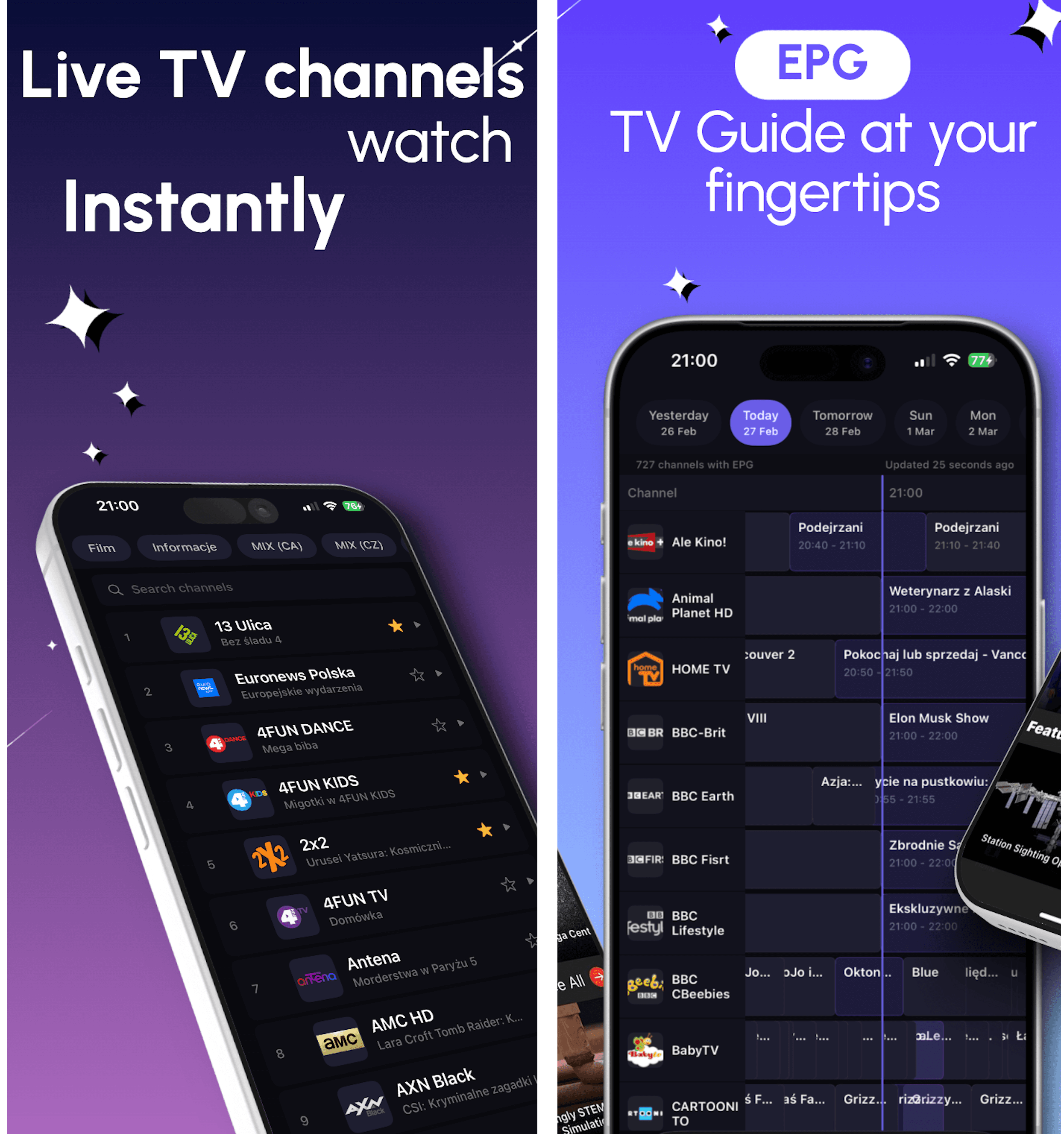
One flow
Live channels, movies, shows, and EPG work together instead of living in separate IPTV tools.
Bring your own playlist or portal
DaddyTV supports M3U, Xtream Codes, and Stalker in one setup flow, so you do not need separate IPTV tools.
Live TV and VOD in one player
Use one app for channels, movies, shows, favorites, and continue watching instead of splitting your IPTV flow across multiple apps.
XMLTV EPG, favorites, and fast return
Connect TV guide when you want it, keep favorites close, and get back into content quickly from a cleaner everyday layout.
Formats and setup
Setup guides for real IPTV formats
Use these landing pages when you already know the source format you want to run in DaddyTV: M3U, Xtream Codes, Stalker, or XMLTV EPG.
M3U IPTV Player
DaddyTV works as an M3U player for people who want one app for live TV, movies, shows, and optional EPG instead of a raw playlist viewer.
M3U playlist linksOptional XMLTV EPGLive channels
Open guideXtream Codes IPTV Player
DaddyTV works as an Xtream Codes player that keeps setup clear and playback fast across live channels and VOD.
Xtream Codes serverUsername and passwordOptional XMLTV EPG
Open guide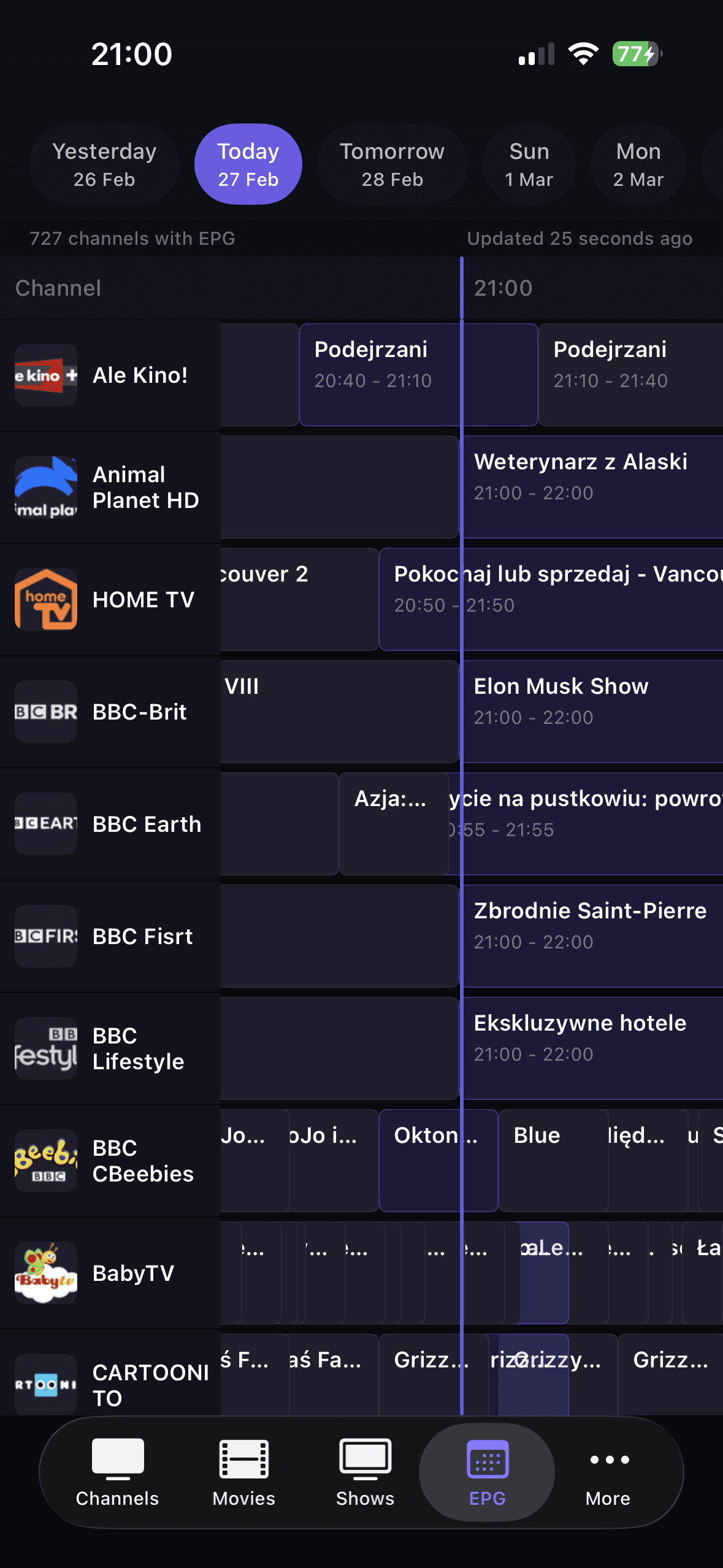
Stalker Portal Player
DaddyTV supports Stalker portals for users who want the same IPTV app across mobile devices without rebuilding their setup around another format.
Stalker portalLive channelsMovies and shows
Open guideXMLTV EPG Guide
DaddyTV keeps XMLTV EPG separate from playlist setup, so you can build guide support around the IPTV source you already use.
XMLTV EPG feedM3U playlistsXtream Codes accounts
Open guideHow it works
From playlist to playback in three steps
1. Add your own IPTV source
Start with the format you already use: M3U playlist links, Xtream Codes accounts, or Stalker portals.
2. Connect XMLTV if you want TV guide
EPG is optional and added separately, so your guide setup stays flexible instead of being locked to one playlist.
3. Watch live TV, movies, or shows
Open clear sections for channels, movies, shows, favorites, and EPG instead of digging through one oversized list.
Resources
Reference pages that keep the setup flow connected
Use these hubs to compare source formats, understand IPTV terminology, and jump to the right troubleshooting path without digging through disconnected articles.
Source format comparison
Compare M3U, Xtream Codes, Stalker, and XMLTV in one evergreen guide.
Open guideIPTV glossary
Plain-language definitions for the terms users hit during setup and troubleshooting.
Open guideTroubleshooting hub
The fastest path from symptom to the right diagnostic or setup guide.
Open guideDevice guide
Understand what changes between iPhone, Android, and Android TV setups.
Open guidePlatforms
IPTV platforms for every screen
This hub is built for people searching for the best IPTV player by device. It compares how DaddyTV handles playlist setup, EPG, playback, favorites, and day-to-day watching on each platform.
IPTV Player for iPhone and iPad | DaddyTV for iOS
Use your own M3U playlist, Xtream Codes account, or Stalker portal on iPhone and iPad with live TV, movies, shows, and XMLTV EPG in one fast IPTV player.
M3U playlistsXtream Codes accountsStalker portals
Open platform guideIPTV Player for Android | DaddyTV for Phone and Tablet
Use your own M3U playlist, Xtream Codes account, or Stalker portal on Android phones and tablets with live TV, movies, shows, and XMLTV EPG in one IPTV player.
M3U playlistsXtream Codes accountsStalker portals
Open platform guide
IPTV Player for Android TV | DaddyTV for the Living Room
DaddyTV on Android TV is a remote-friendly IPTV player for live channels, movies, shows, and EPG on the big screen.
M3U playlistsXtream Codes accountsStalker portals
Open platform guideProof of product
The screens that actually sell the app
Instead of generic feature claims, these screens prove what users actually search for: live channels, movies, shows, and EPG in one consistent flow.
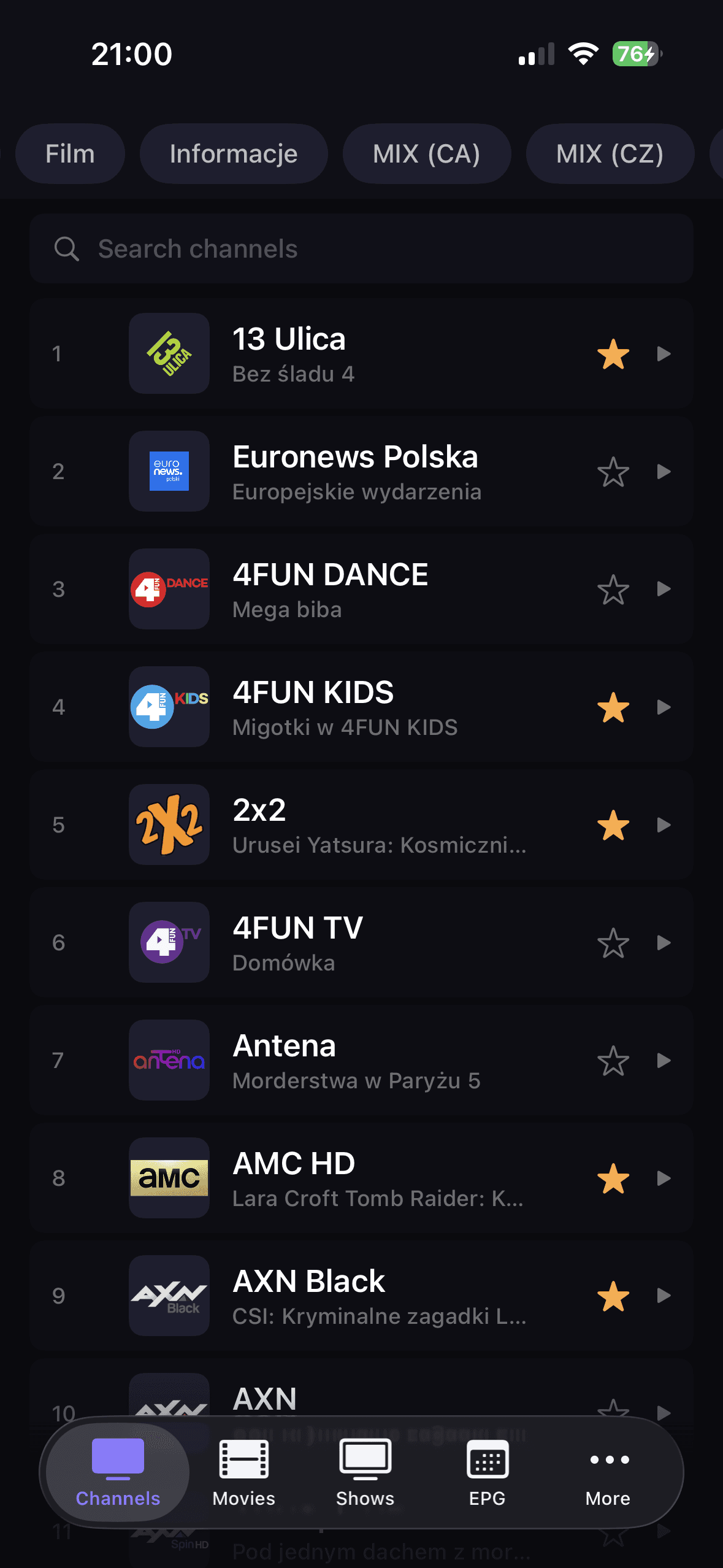
Live channels
Fast browsing for daily watching
Groups, search, favorites, and instant playback keep live IPTV practical instead of cluttered.
Movies
VOD that does not feel bolted on
Open categories, scan posters, shortlist titles, and jump into playback without leaving the main flow.
Shows
Series grouped the right way
DaddyTV keeps shows, seasons, and episodes in one predictable structure that is easy to browse.
EPG
TV guide with real utility
Track current broadcasts, scan the timeline quickly, and use guide data as part of everyday playback.
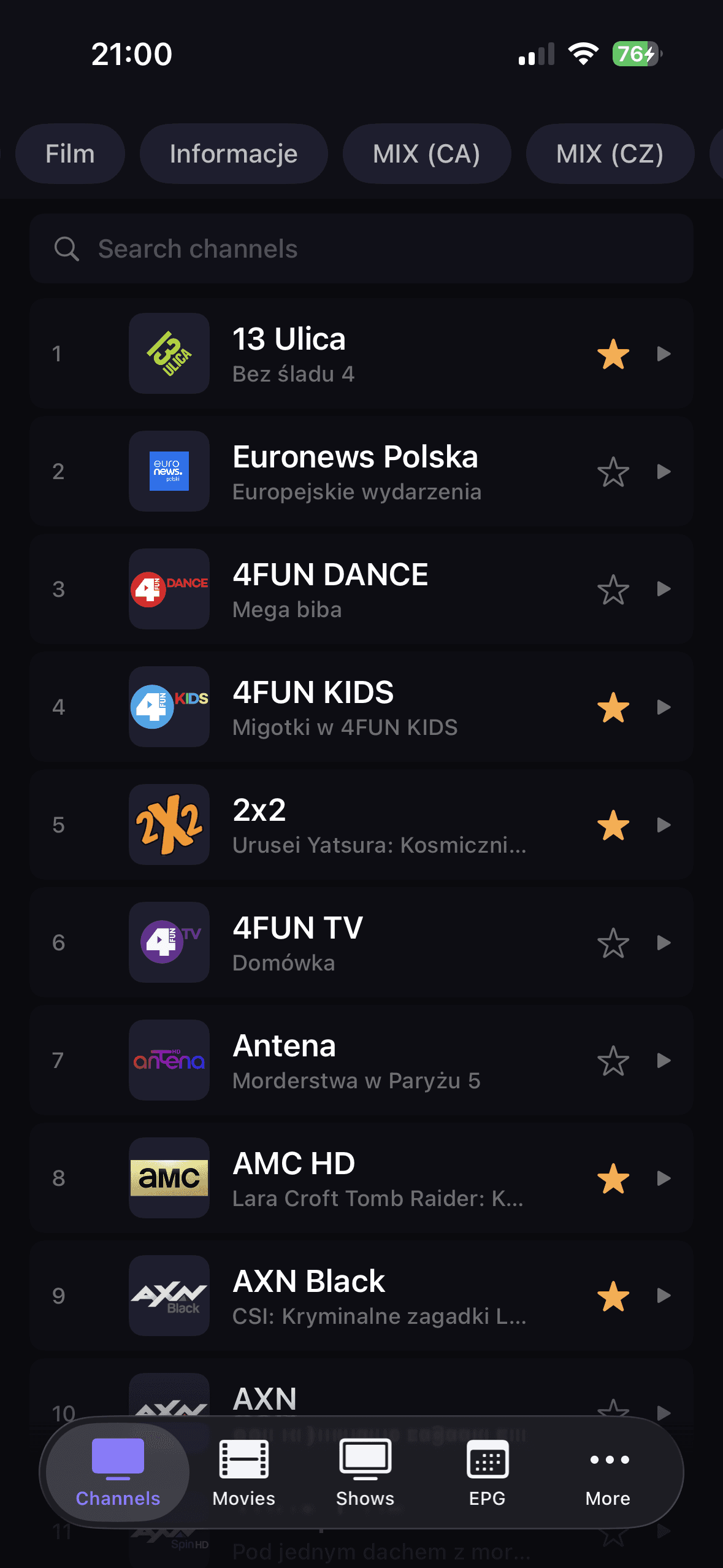
Fast browsing for daily watching
Groups, search, favorites, and instant playback keep live IPTV practical instead of cluttered.
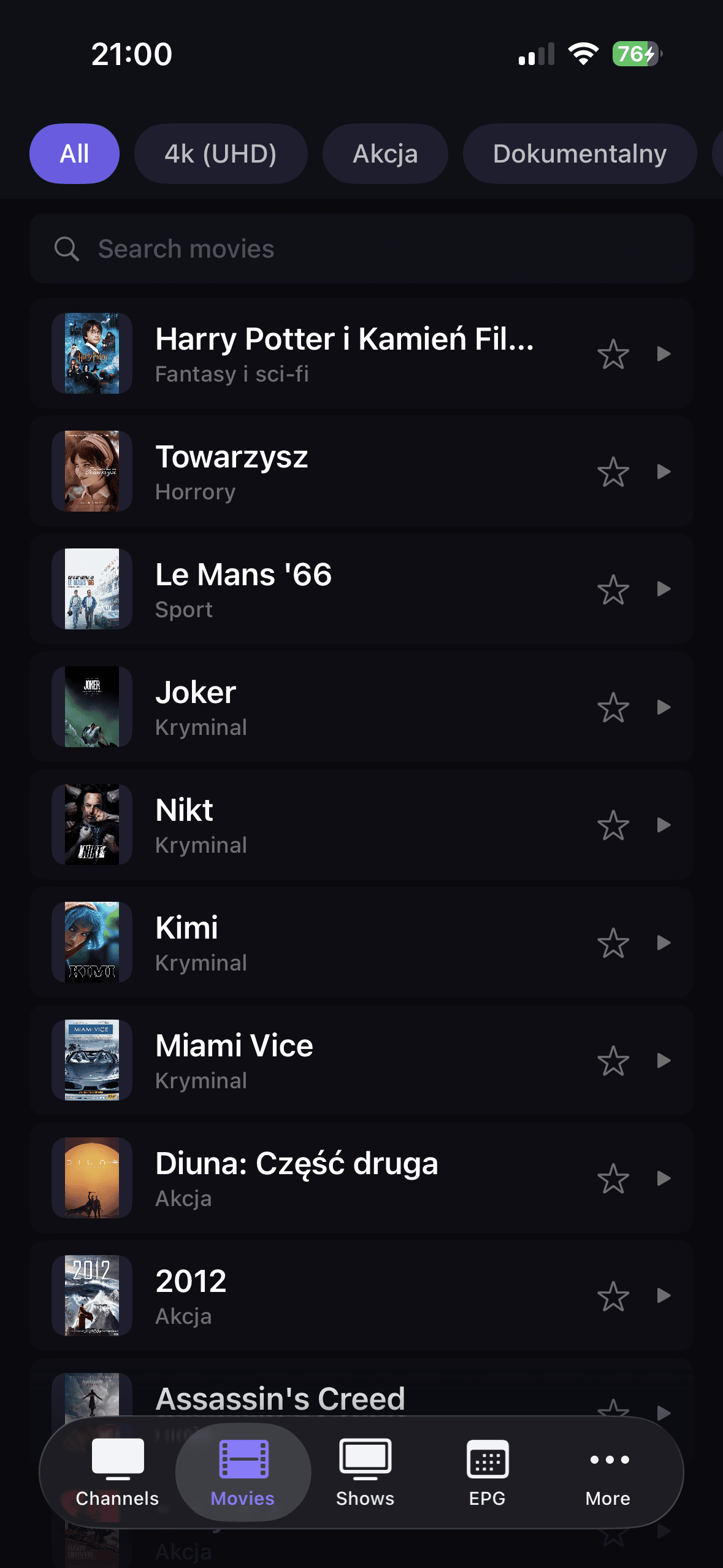
VOD that does not feel bolted on
Open categories, scan posters, shortlist titles, and jump into playback without leaving the main flow.
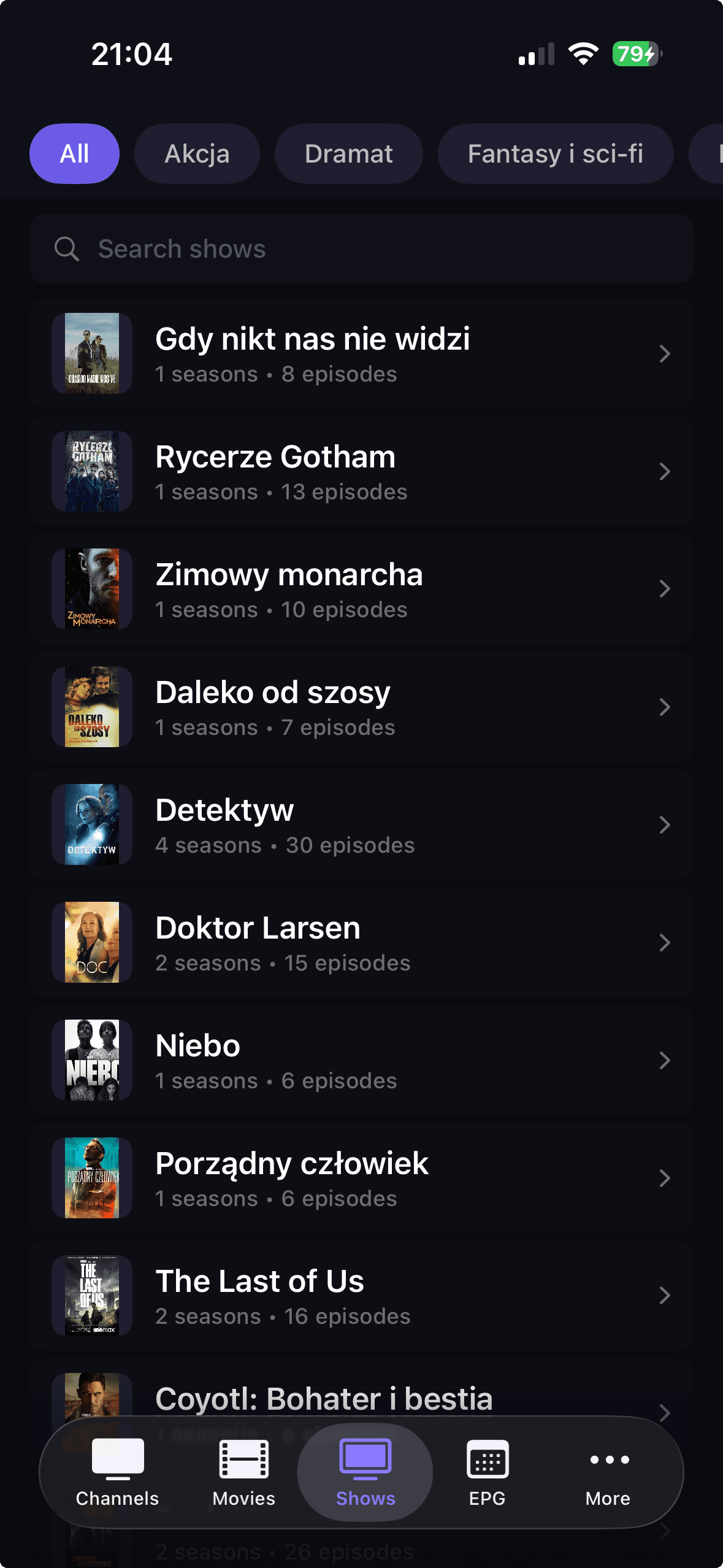
Series grouped the right way
DaddyTV keeps shows, seasons, and episodes in one predictable structure that is easy to browse.
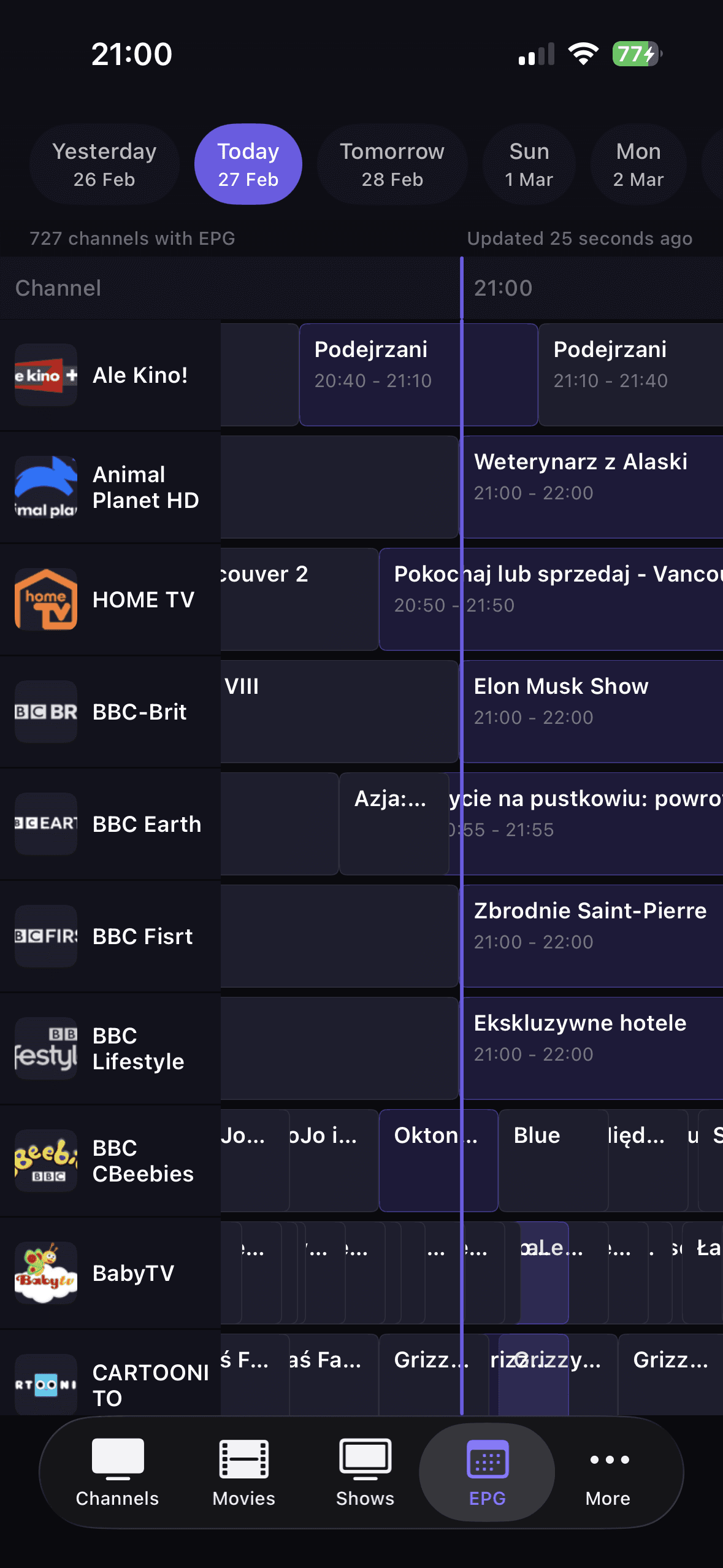
TV guide with real utility
Track current broadcasts, scan the timeline quickly, and use guide data as part of everyday playback.
Why DaddyTV fits real IPTV use
DaddyTV is built for people who already have their own IPTV source and want one player for live TV, movies, shows, and TV guide.
You can add M3U playlist links, Xtream Codes accounts, or Stalker portals, then browse content through separate sections for channels, movies, and shows.
Optional XMLTV EPG, favorites, continue watching, unified player controls, and PiP where available make daily playback faster and less messy.
Frequently asked questions
Common questions about playlists, EPG, and everyday IPTV use.
What playlist formats are supported?
DaddyTV supports M3U playlists, Xtream Codes accounts, and Stalker portals.
Can I add EPG separately?
Yes. EPG can be configured independently and refreshed in the background.
Are favorites saved after refresh?
Yes. Favorites for channels, movies, and shows persist after playlist refresh.
Does DaddyTV support live and VOD in one app?
Yes. You can watch live channels, movies, and shows from one interface.
Download DaddyTV and set up IPTV your way
Choose the App Store or Google Play, add your playlist, and start live TV, movies, shows, and EPG in one app.